你有没有遇到过这种场景:
- 用户问 AI:"帮我查下今天上海的天气"
- AI 回答:"抱歉,我无法获取实时信息。"
问题的核心是:AI 没有工具。就像给你一双手脚,让你去盖房子,你也做不到。但如果给你一套工具箱,情况就完全不同了。
今天我们就来给 AI 装上一套工具箱,让它能够从博客园实时获取最新技术文章。
什么是工具调用?
简单来说,工具调用就是让 AI 能够"借用"外部能力。
这些能力包括但不限于:
- 联网搜索
- 调用第三方 API
- 读写文件
- 查询数据库
- 执行代码
但有一个关键点要特别注意:
工具调用 不是 AI 自己去执行这些工具,而是 AI 说"我需要调用 XX 工具",真正执行的是我们的应用程序。
流程是这样的:
用户提问 → AI 分析意图 → AI 决定调用工具
→ 我们的程序执行工具 → 把结果返回给 AI → AI 继续回答
要实现的目标
让 AI 能够查询博客园用户的最新文章,并提取这些信息:
- 文章标题
- 文章链接
- 发布日期
- 摘要内容
- 阅读数、评论数、推荐数
实现方案:用 Jsoup 抓取博客园页面,把数据整理后返回给 AI。
快速了解流程
完整流程其实很简单:
- 用户提问 → 2. AI 分析意图 → 3. AI 决定调用工具 → 4. 程序执行工具 → 5. 结果返回给 AI → 6. AI 整理后回复用户
核心就是:AI 不直接调用工具,而是告诉我们的程序"我需要调用这个工具",程序执行完后把结果给 AI,AI 再基于结果回答用户。
想看详细的调用链路?文章最后有完整的时序图,包你一看就懂。
动手实现(四步搞定)
步骤 1:引入依赖
先在 pom.xml 中加入 Jsoup(网页爬虫库):
<dependency><groupId>org.jsoup</groupId><artifactId>jsoup</artifactId><version>1.20.1</version>
</dependency>
步骤 2:编写工具类
在 tools 包下创建一个工具类,用 @Tool 注解告诉 LangChain4j:"这是一个工具"。
⚠️ 重点:工具描述一定要写清楚,AI 能否正确调用工具全看这个描述!
/*** 博客园文章搜索工具* 用于从博客园抓取用户的最新文章信息** @author BNTang*/
@Slf4j
public class CnblogsArticleTool {/*** 从指定用户的博客园主页获取最新的技术文章列表。* 支持提取文章标题、链接、发布日期、摘要、阅读数、评论数和推荐数等信息。** @param input 博客园用户名或URL,可选地附加"|N"来限制结果数量* @return 技术文章列表的JSON格式,包含详细信息,若失败则返回错误信息*/@Tool(name = "cnblogsSearch", value = """从博客园获取最新文章。输入可以是:- 博客园用户名(例如:'someUser')- 完整的个人主页URL(例如:'https://www.cnblogs.com/someUser/')可选择性地附加'|N'来限制结果数量,例如:'someUser|5'。返回包含标题、链接、日期、摘要、阅读数、评论数、推荐数的JSON数组。""")public String searchCnblogsArticles(@P(value = "用户名或URL(可选地附加|限制数量)") String input) {if (input == null || input.trim().isEmpty()) {return "{\"error\":\"Empty input\"}";}String[] parts = input.trim().split("\\|", 2);String target = parts[0].trim();int limit = 10;if (parts.length == 2) {try {limit = Math.max(1, Math.min(100, Integer.parseInt(parts[1].trim())));} catch (NumberFormatException ignored) { /* keep default */ }}String url;if (target.startsWith("http://") || target.startsWith("https://")) {url = target;} else {url = "https://www.cnblogs.com/" + target + "/";}Document doc = fetchDocumentWithRetries(url, 3, 8000);if (doc == null) {return "{\"error\":\"Failed to fetch or parse page\"}";}// 选择博客文章的主容器Elements dayElements = doc.select(".day");List<ArticleInfo> results = new ArrayList<>();for (Element dayEl : dayElements) {if (results.size() >= limit) {break;}// 提取标题和链接Element titleEl = dayEl.selectFirst(".postTitle a, .postTitle2");if (titleEl == null) {continue;}String title = titleEl.text().trim();// 移除"[置顶]"标记title = title.replaceAll("^\\[置顶]\\s*", "");String href = titleEl.absUrl("href");if (href.isEmpty()) {href = titleEl.attr("href").trim();}// 去重检查boolean seen = false;for (ArticleInfo r : results) {if (r.url.equals(href)) {seen = true;break;}}if (seen) {continue;}// 提取日期String date = "";Element dateEl = dayEl.selectFirst(".dayTitle a");if (dateEl != null) {date = dateEl.text().trim();}// 提取摘要String summary = "";Element summaryEl = dayEl.selectFirst(".c_b_p_desc, .postCon");if (summaryEl != null) {summary = summaryEl.text().trim();// 移除"阅读全文"链接文本summary = summary.replaceAll("阅读全文$", "").trim();// 限制摘要长度if (summary.length() > 200) {summary = summary.substring(0, 200) + "...";}}// 提取统计信息String viewCount = "0";String commentCount = "0";String diggCount = "0";Element postDesc = dayEl.selectFirst(".postDesc");if (postDesc != null) {Element viewEl = postDesc.selectFirst(".post-view-count");if (viewEl != null) {viewCount = extractNumber(viewEl.text());}Element commentEl = postDesc.selectFirst(".post-comment-count");if (commentEl != null) {commentCount = extractNumber(commentEl.text());}Element diggEl = postDesc.selectFirst(".post-digg-count");if (diggEl != null) {diggCount = extractNumber(diggEl.text());}}if (!title.isEmpty() && !href.isEmpty()) {results.add(new ArticleInfo(title, href, date, summary, viewCount, commentCount, diggCount));}}if (results.isEmpty()) {return "{\"message\":\"未找到文章。\"}";}StringBuilder sb = new StringBuilder();sb.append("[");for (int i = 0; i < results.size(); i++) {ArticleInfo article = results.get(i);sb.append("{");sb.append("\"title\":").append(jsonEscape(article.title)).append(",");sb.append("\"url\":").append(jsonEscape(article.url)).append(",");sb.append("\"date\":").append(jsonEscape(article.date)).append(",");sb.append("\"summary\":").append(jsonEscape(article.summary)).append(",");sb.append("\"viewCount\":").append(article.viewCount).append(",");sb.append("\"commentCount\":").append(article.commentCount).append(",");sb.append("\"diggCount\":").append(article.diggCount);sb.append("}");if (i < results.size() - 1) {sb.append(",");}}sb.append("]");return sb.toString();}/*** 带重试机制获取网页文档** @param url         目标URL* @param maxAttempts 最大尝试次数* @param timeoutMs   超时时间(毫秒)* @return Jsoup文档对象,失败返回null*/private Document fetchDocumentWithRetries(String url, int maxAttempts, int timeoutMs) {String userAgent = "Mozilla/5.0 (compatible; Bot/1.0; +https://example.com/bot)";int attempt = 0;while (attempt < maxAttempts) {attempt++;try {return Jsoup.connect(url).userAgent(userAgent).timeout(timeoutMs).referrer("https://www.google.com").get();} catch (IOException e) {log.warn("第{}次尝试获取 {} 失败: {}", attempt, url, e.getMessage());try {Thread.sleep(500L * attempt);} catch (InterruptedException ignored) {Thread.currentThread().interrupt();break;}}}log.error("所有尝试均失败,无法获取 {}", url);return null;}/*** 从文本中提取数字** @param text 包含数字的文本,如"阅读(123)"* @return 提取的数字字符串*/private String extractNumber(String text) {if (text == null) {return "0";}text = text.replaceAll("[^0-9]", "");return text.isEmpty() ? "0" : text;}/*** JSON字符串转义** @param s 待转义的字符串* @return 转义后的JSON字符串*/private String jsonEscape(String s) {if (s == null) {return "\"\"";}String escaped = s.replace("\\", "\\\\").replace("\"", "\\\"").replace("\n", "\\n").replace("\r", "\\r");return "\"" + escaped + "\"";}/*** 文章信息类*/private static class ArticleInfo {String title;String url;String date;String summary;String viewCount;String commentCount;String diggCount;ArticleInfo(String title, String url, String date, String summary,String viewCount, String commentCount, String diggCount) {this.title = title;this.url = url;this.date = date;this.summary = summary;this.viewCount = viewCount;this.commentCount = commentCount;this.diggCount = diggCount;}}
}
核心逻辑:
- 解析用户输入(支持用户名或 URL)
- 用 Jsoup 抓取博客园页面
- 用 CSS 选择器提取文章信息
- 返回 JSON 格式的结果
步骤 3:把工具绑定到 AI Service
public AiCodeHelperService aiCodeHelperService() {ChatMemory chatMemory = MessageWindowChatMemory.withMaxMessages(10);return AiServices.builder(AiCodeHelperService.class).chatModel(qwenChatModel).chatMemory(chatMemory).contentRetriever(contentRetriever).tools(new CnblogsArticleTool())  // ← 绑定工具.build();
}
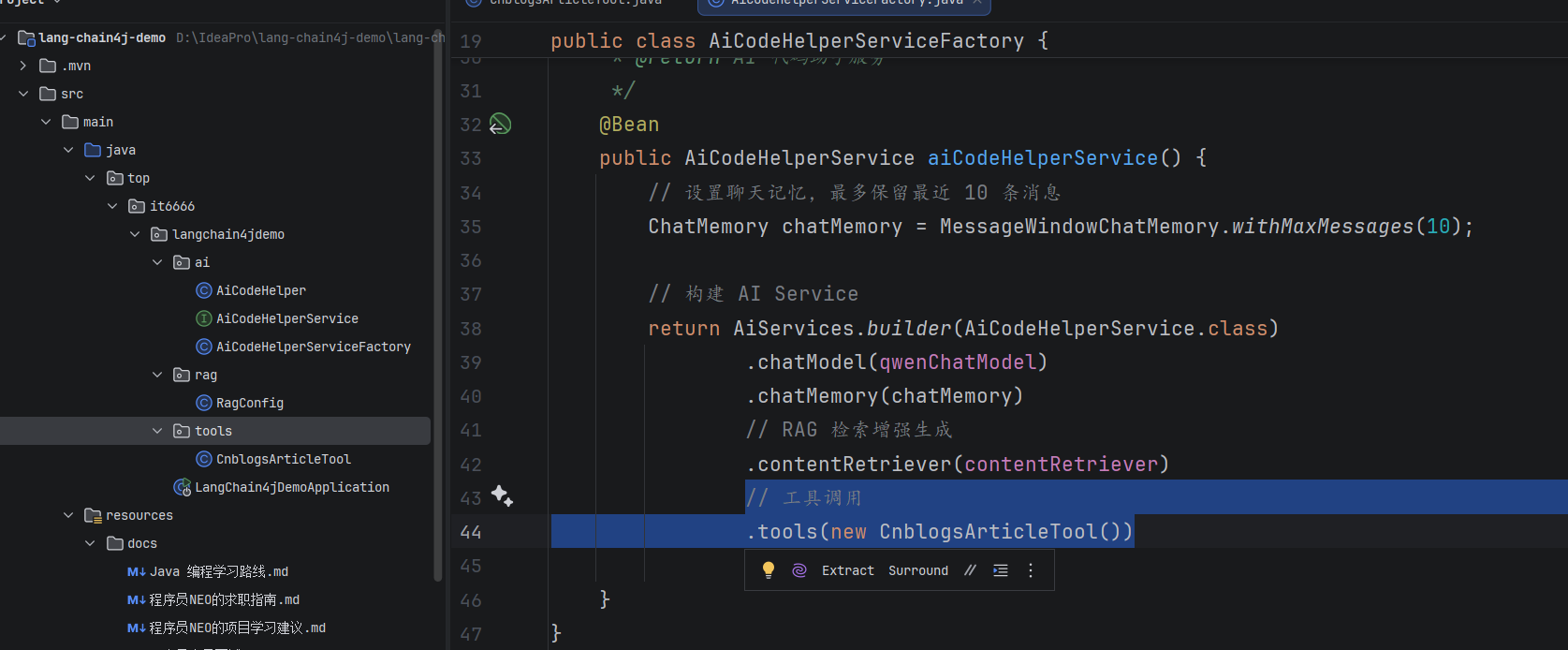
步骤 4:测试一下
写个单元测试:
@Test
void chatWithTools() {String result = aiCodeHelperService.chat("帮我查下博客园用户 BNTang 的最新文章");System.out.println(result);
}
关键来了,在工具方法里打断点,Debug 运行:
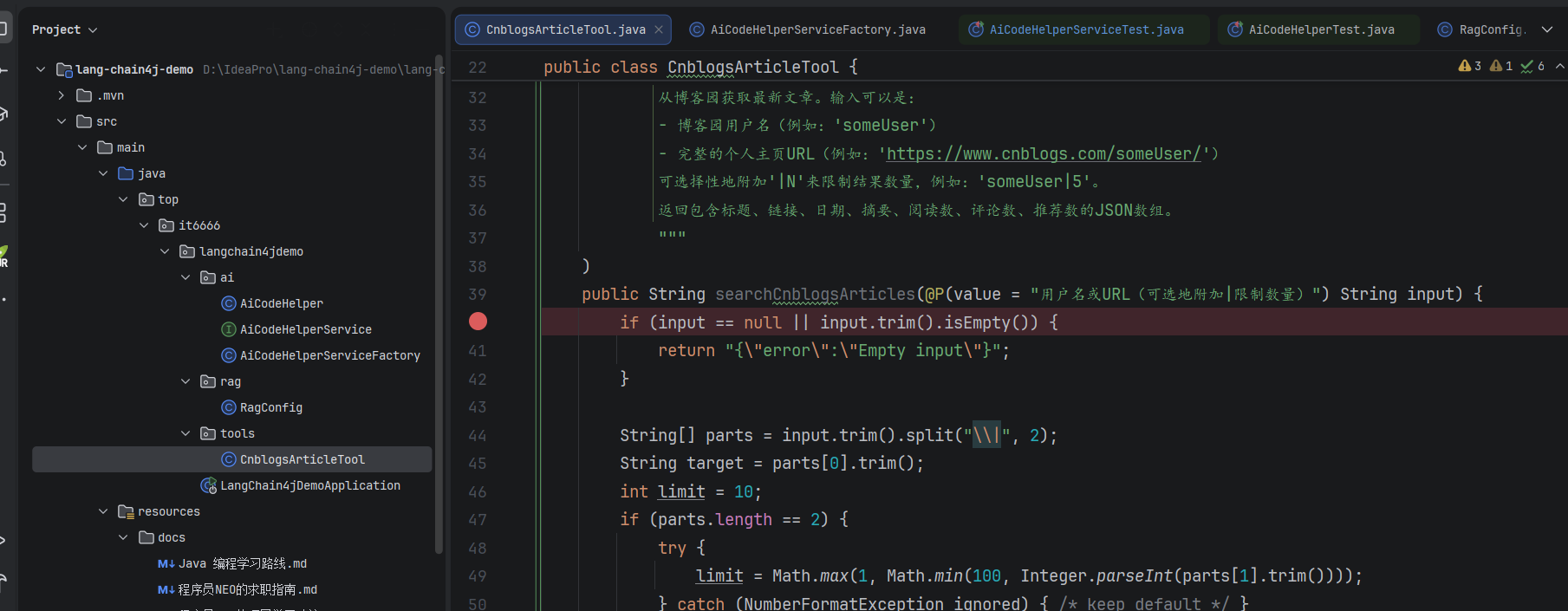
你会看到断点真的停下来了!
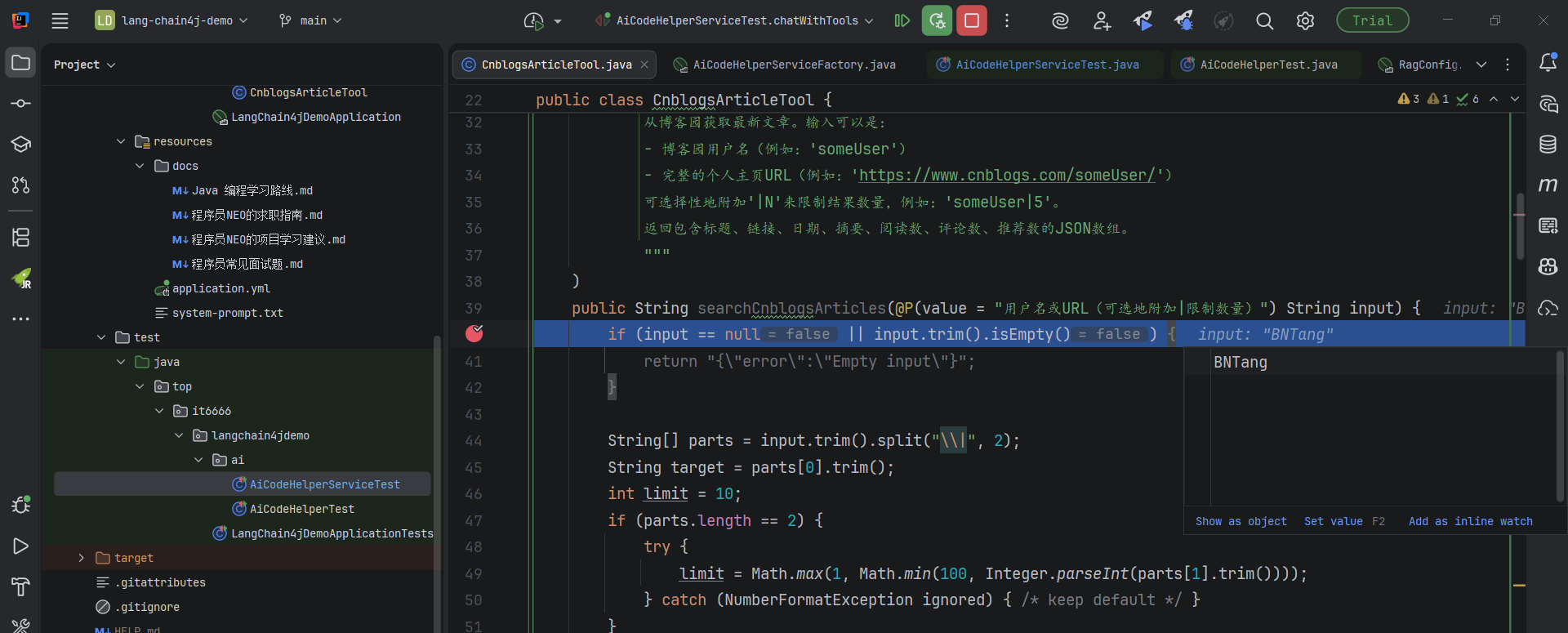
这说明 AI 真的调用了我们的工具!
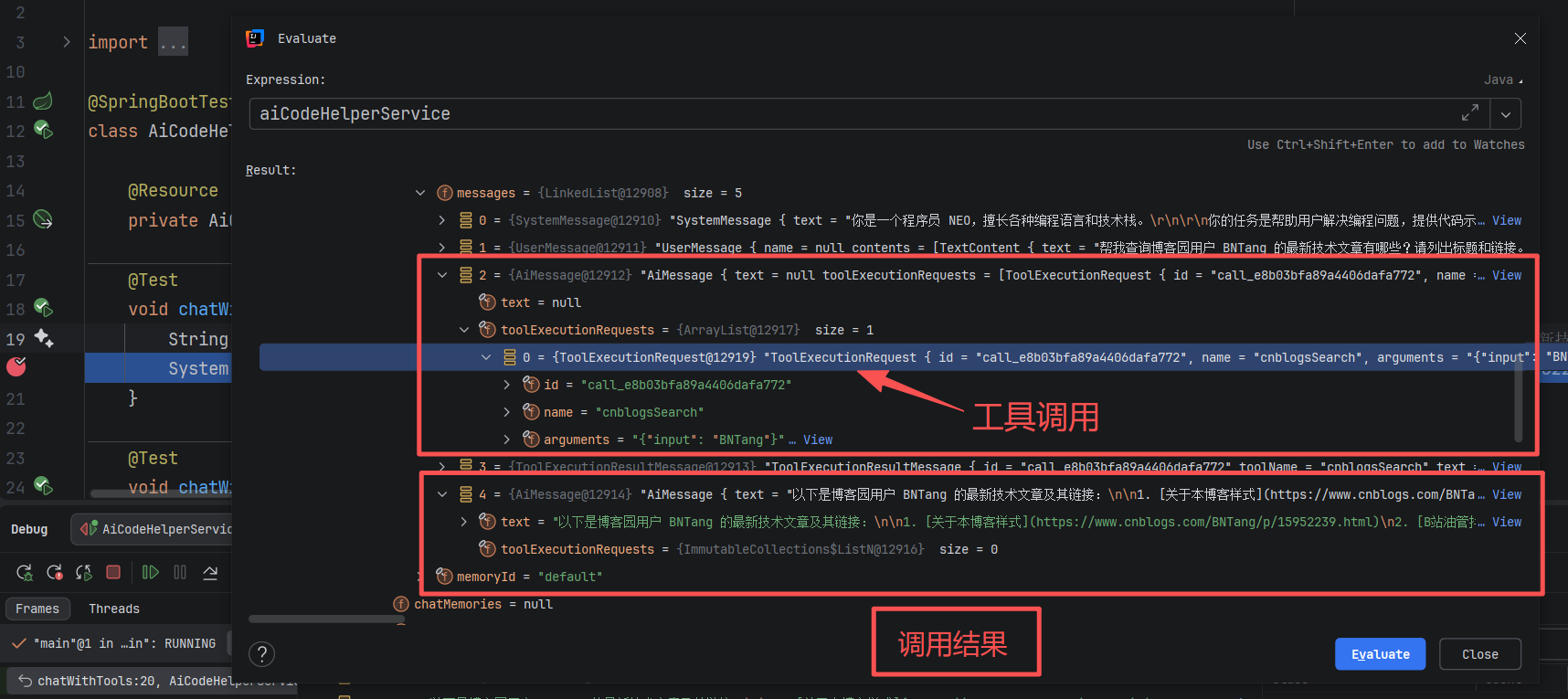
工具把数据返回给 AI 后,AI 会整理成自然语言:
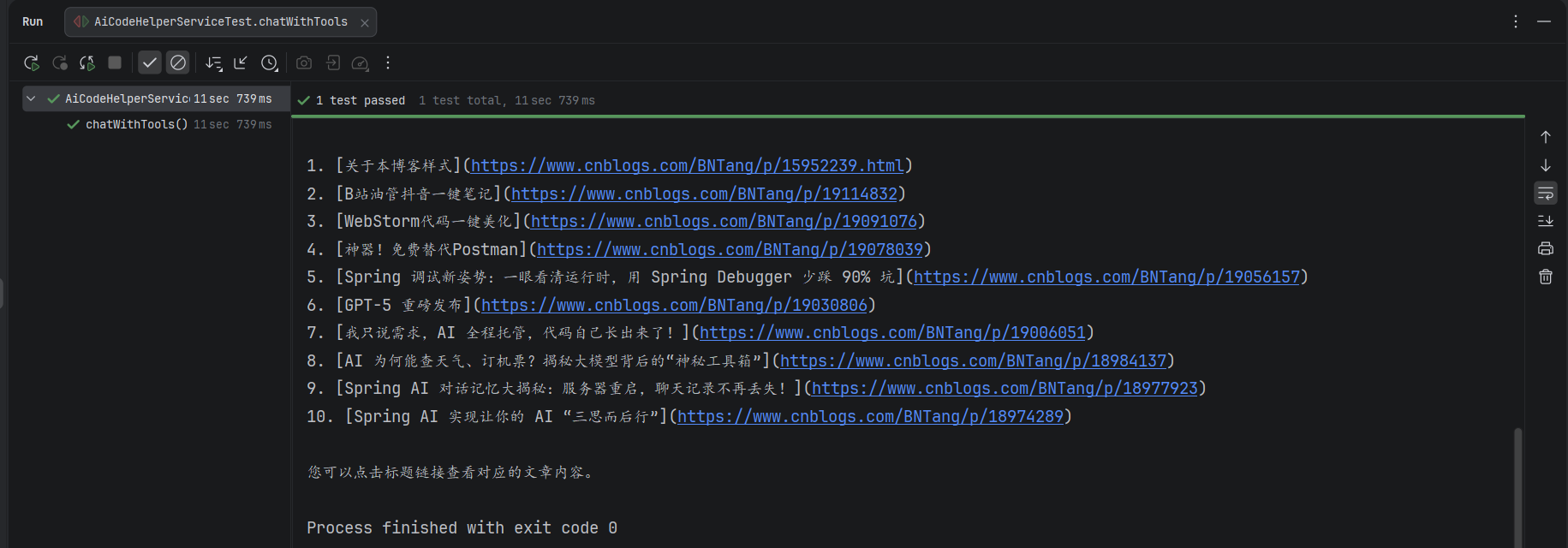
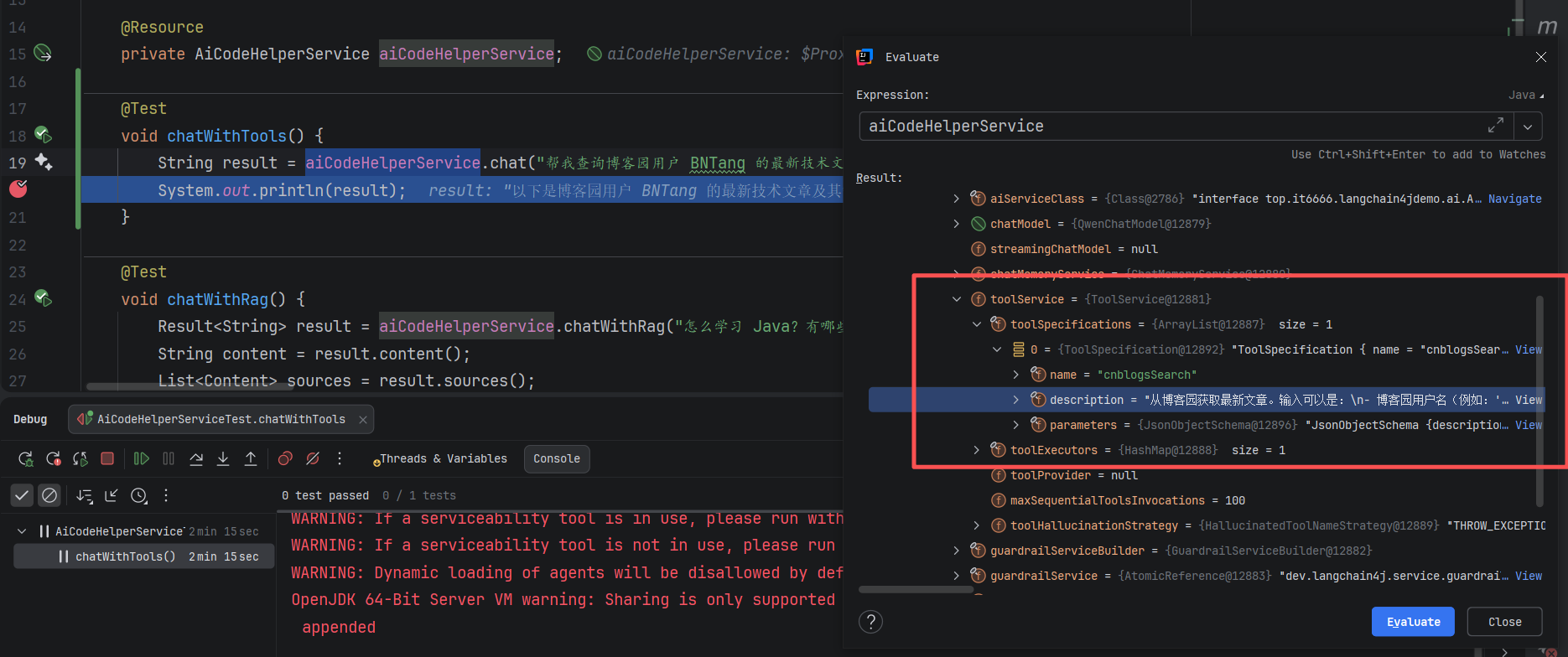
在 Debug 模式下,你还能看到 AI Service 加载了工具:
以及工具的完整调用链路:
完美运行!
工具定义的两种方式
前面用的是声明式定义(注解),LangChain4j 也支持编程式定义:
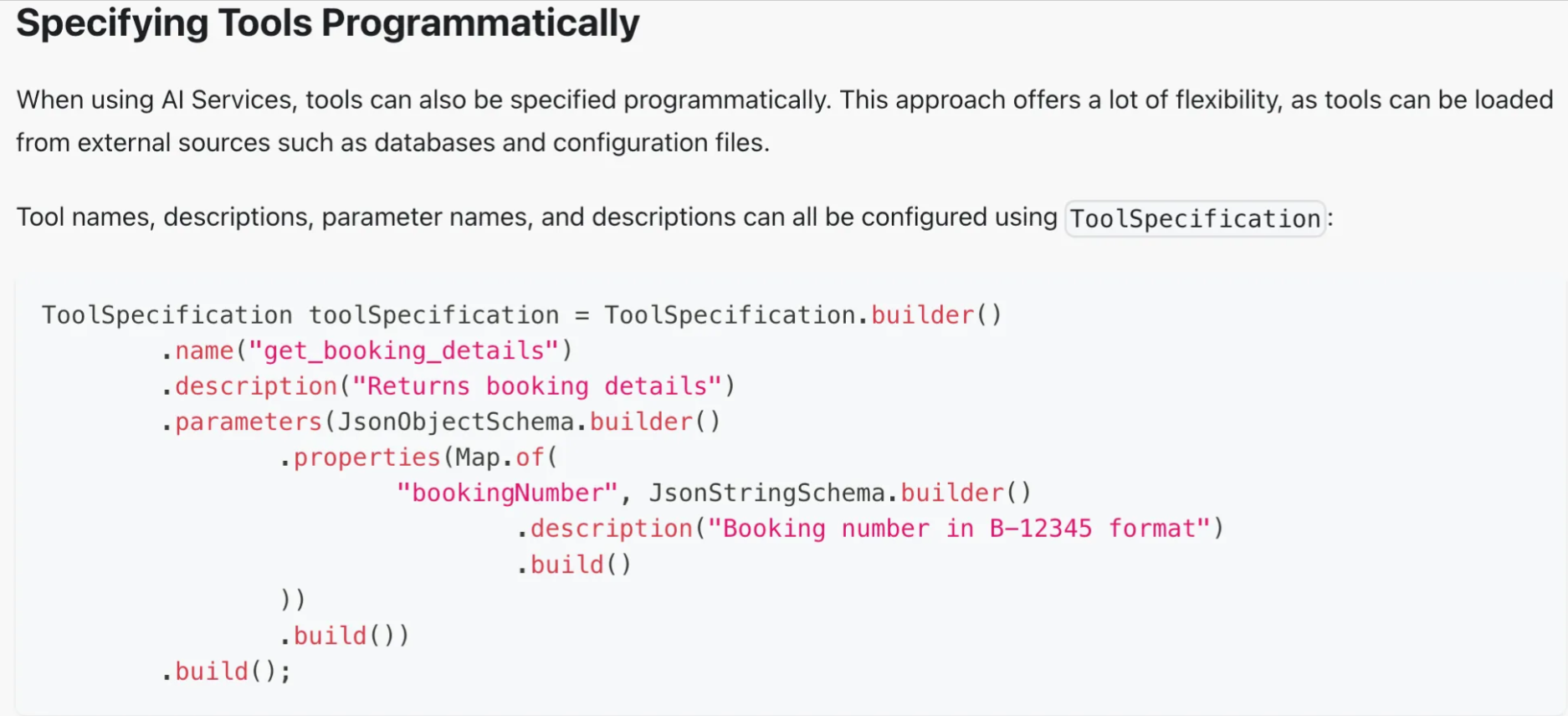
简单场景用声明式,需要动态创建工具用编程式。
还能做更多
除了搜索,工具调用还能实现这些功能:
- 读写本地文件
- 生成 PDF 报告
- 执行 Shell 命令
- 生成图表
- 调用企业内部 API
更棒的是:这些工具不一定都要自己写,可以通过 MCP(Model Context Protocol)协议直接用别人开发好的工具。
完整的调用链路
如果想深入理解工具调用的每一步,看这个时序图就对了:
时序图解读:
- 用户发起请求(步骤 1-4):Test 调用 Service,Service 转发给 LangChain4j 框架
- AI 分析意图(步骤 5-7):LLM 分析用户问题,决定需要调用
cnblogsSearch工具 - 工具执行(步骤 8-17):Tool 用 Jsoup 抓取博客园页面,解析数据
- 结果返回(步骤 18-21):工具结果返回给 LLM,LLM 生成最终答案
关键点:工具执行在应用侧(B3、T1),不在 AI 服务器(L2)。
写在最后
工具调用是让 AI 突破能力边界的关键技术。
记住三个要点:
- 工具描述写清楚,AI 才能正确调用
- 工具在应用侧执行,不在 AI 服务器
- 声明式定义简单,编程式定义灵活
通过 LangChain4j 的 @Tool 注解,只需要几行代码,就能让 AI 拥有"超能力"。
系列文章持续更新中,关注我不错过每一篇干货。
这篇文章对你有用的话,点个赞、在看支持一下吧!
相关文章推荐:
- 智谱 GLM-4.7 编程第一
- LangChain4j 结构化输出实战
- 让 AI 不再失忆
- Claude Code 免费指南