瑞萨回读hex文件对比数据(因格式不一致)
工作中遇到芯片初次烧录跑不起来的问题,遂让回读片内数据查看与烧录文件一直不一致
(有大佬知道此方法不对的麻烦评论一下)
使用的是瑞萨的RH850系列r7f701411
使用Renesas Flash Programmer V3.11 搭配E1 进行回读
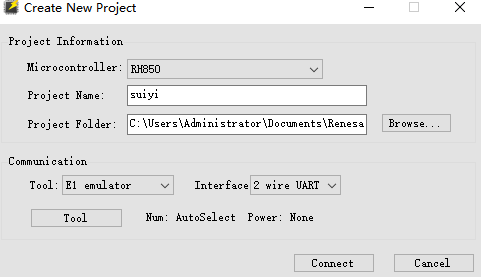
选择对应的烧录机器 其他默认则好 这里选择的E1
点击 connect 出现选择芯片晶振,这里按自己的芯片来(注意必须物理连接上)
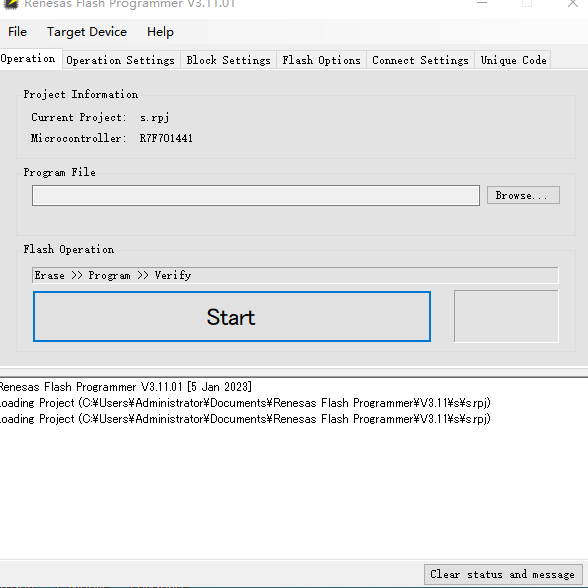
进入这个界面 大概介绍一下,我也认得不全
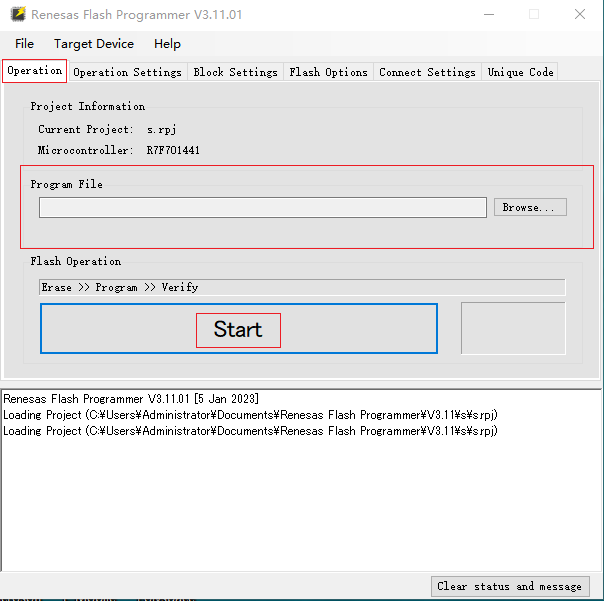
导入烧录文件 start就可以烧录
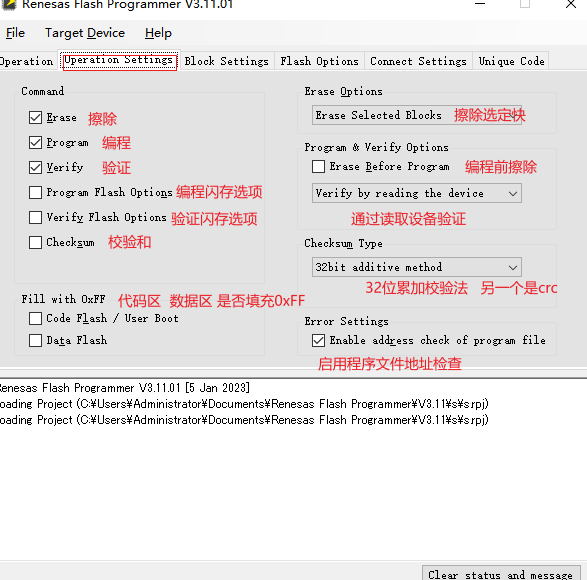
常规烧录选前三个就可以
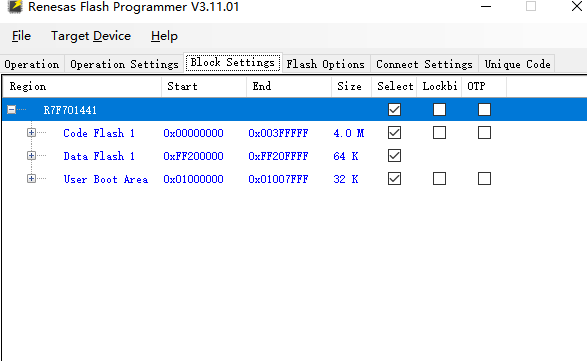
没点过
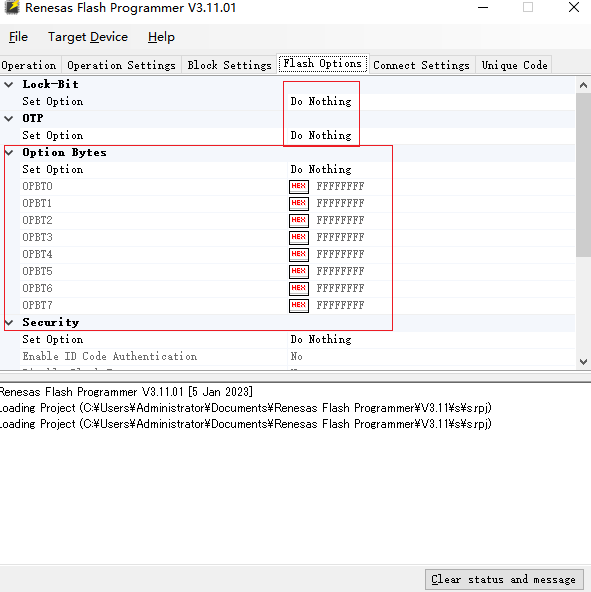
这里的OPBT数据不对芯片启动不起来,可以先读取好的板子
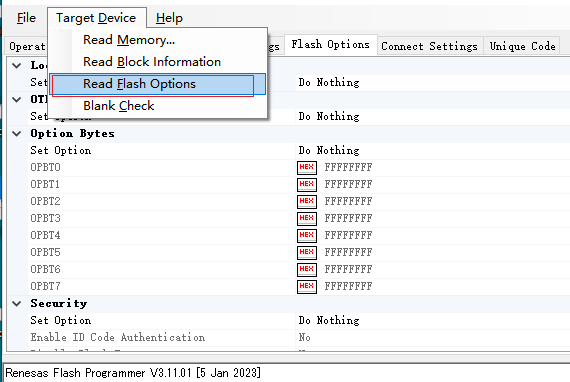
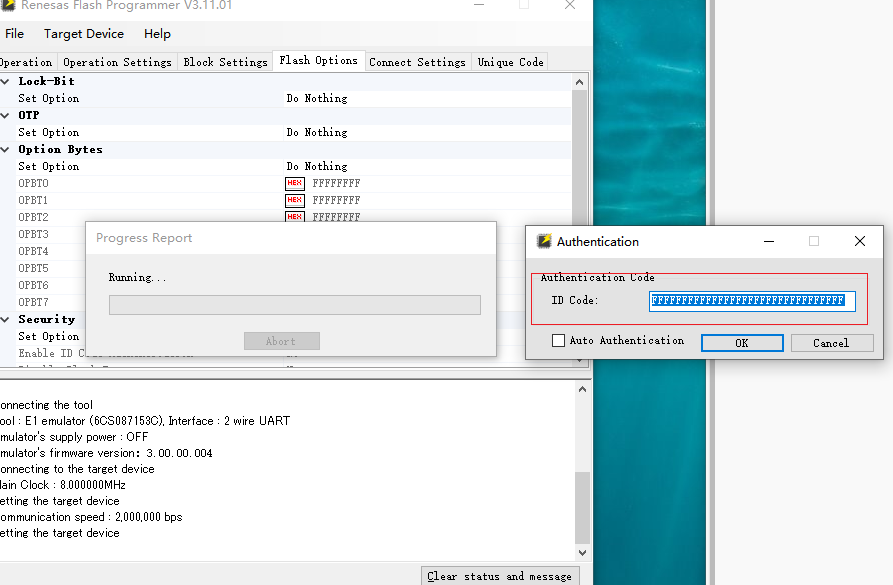
这个id也是可以改的
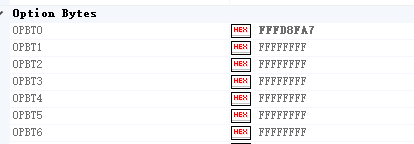
可以读出好的板子这个(我读新板子也有这个所以可以先读一下)

勾选这个就可以填到我们的配置里了
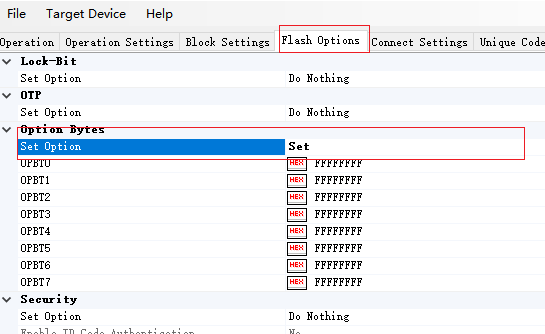
修改后可以写道芯片里

同样 设置位set后可以修改id
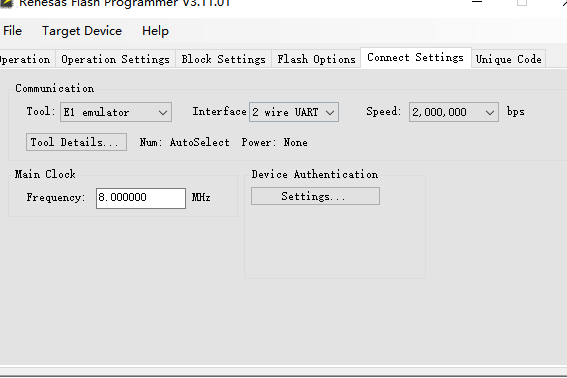
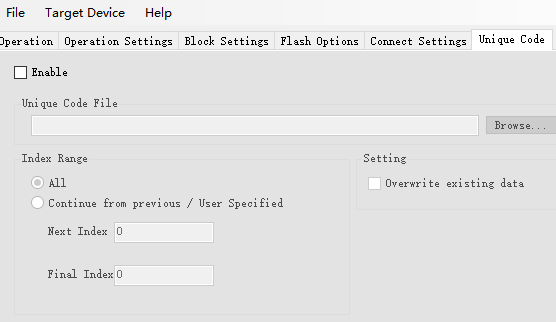
这两个地方没改过
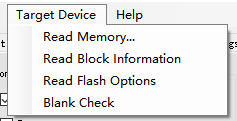
可以通过这里读取芯片某些信息
点击第一个后会把设置的区域内代码读出
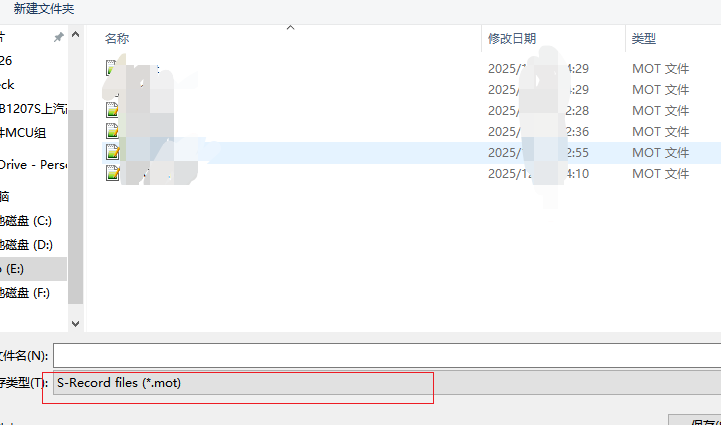
选择一个保存地方
我这个版本支持.mot和.hex 选择hex
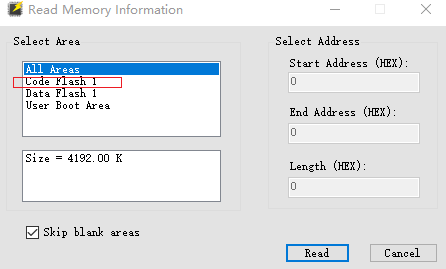
选择读取的区域
我选择 code区 read就好了
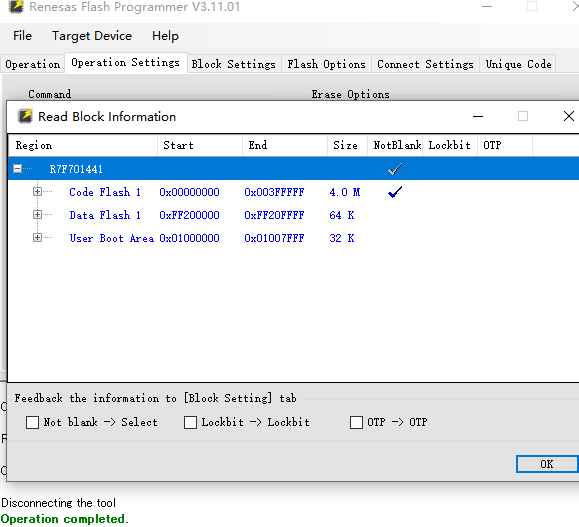
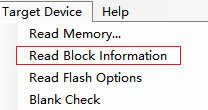
勾选 读信息里的第二个
可以看到那些区域上锁没 打钩的
第四个检查空白区
这里进行题目的hex对比工作
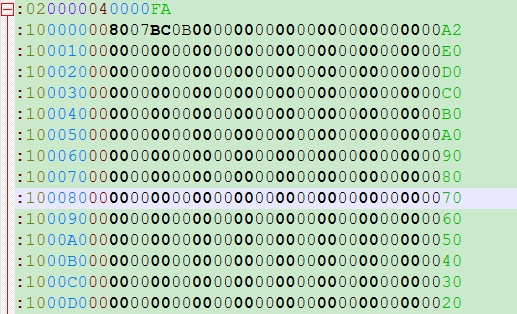
直接读出的数据
可以看到

0x10 这段的数据有16字节
0000 地址
00 数据类型 00标准格式 04 扩展地址 (01 结束 05 开始地址等)
A2 这16的数据的校验值

而我要烧写的数据
0x20 32字节
所以要对这些数据进行掐头去尾比较
import sysdef parse_hex_to_dict(filename):"""解析 HEX 文件,提取 {地址: 数据字节} 的映射。处理记录类型 00 (数据) 和 04 (扩展线性地址)。"""data_map = {}extended_linear_address = 0with open(filename, 'r') as f:for line_num, line in enumerate(f, 1):line = line.strip()if not line.startswith(':'):continuetry:# 解析 HEX 行结构byte_count = int(line[1:3], 16)address = int(line[3:7], 16)record_type = int(line[7:9], 16)if record_type == 0x00: # 数据记录full_address = extended_linear_address + addressdata_hex = line[9:9 + byte_count * 2]# 将每一位数据存入字典for i in range(byte_count):byte_val = data_hex[i*2 : i*2+2].upper()data_map[full_address + i] = byte_valelif record_type == 0x04: # 扩展线性地址记录extended_linear_address = int(line[9:13], 16) << 16# 其他类型 (01结束, 05开始地址等) 在对比纯数据时通常可忽略except ValueError:print(f"警告: 无法解析文件 {filename} 第 {line_num} 行")return data_mapdef compare_hex_files(file1, file2):print(f"正在读取文件 1: {file1}")data1 = parse_hex_to_dict(file1)print(f"正在读取文件 2: {file2}")data2 = parse_hex_to_dict(file2)# 获取两个文件的所有地址并集all_addresses = sorted(list(set(data1.keys()) | set(data2.keys())))if not all_addresses:print("错误: 未在文件中找到有效数据。")returnmismatches = []only_in_file1 = []only_in_file2 = []for addr in all_addresses:val1 = data1.get(addr)val2 = data2.get(addr)if val1 and val2:if val1 != val2:mismatches.append((addr, val1, val2))elif val1:only_in_file1.append(addr)elif val2:only_in_file2.append(addr)# 输出结果print("\n" + "="*40)print("比对结果汇报:")print("="*40)if not mismatches and not only_in_file1 and not only_in_file2:print("恭喜!两个文件的【数据内容】完全一致。")print(f"有效数据总量: {len(all_addresses)} 字节")else:if mismatches:print(f"发现 {len(mismatches)} 处数据不一致 (地址: 文件1 vs 文件2):")# 仅显示前 10 处差异for addr, v1, v2 in mismatches[:10]:print(f"地址 0x{addr:08X}: {v1} != {v2}")if len(mismatches) > 10: print("... 剩余差异已省略")if only_in_file1:print(f" 文件 1 独有的地址数据量: {len(only_in_file1)} 字节")if only_in_file2:print(f"文件 2 独有的地址数据量: {len(only_in_file2)} 字节")print("="*40)if __name__ == "__main__":# 使用方法: python script.py file1.hex file2.hexif len(sys.argv) < 3:print("使用方法: python compare.py <烧录文件.hex> <读取文件.hex>")else:compare_hex_files(sys.argv[1], sys.argv[2])
运行时须在命令行执行 python compare.py Rj.hex du1.hex
例如
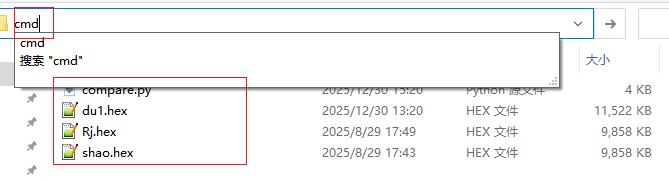
新建文件夹,将py文件名为compare.py 以及导入要对比的数据
在文件位置输入cmd回车召除命令行
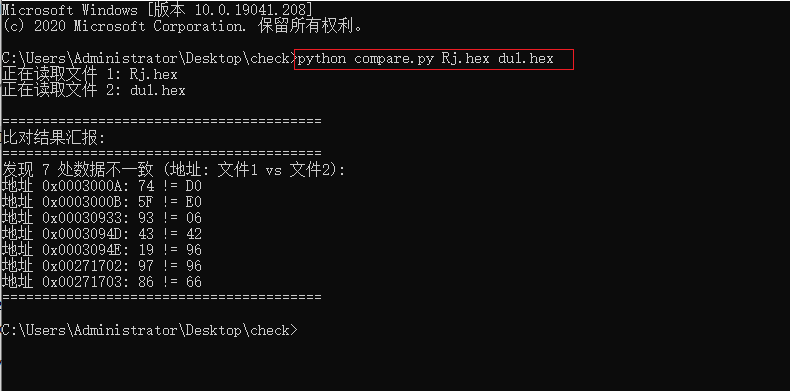
便可看到结果
现在记录一下脚本内容
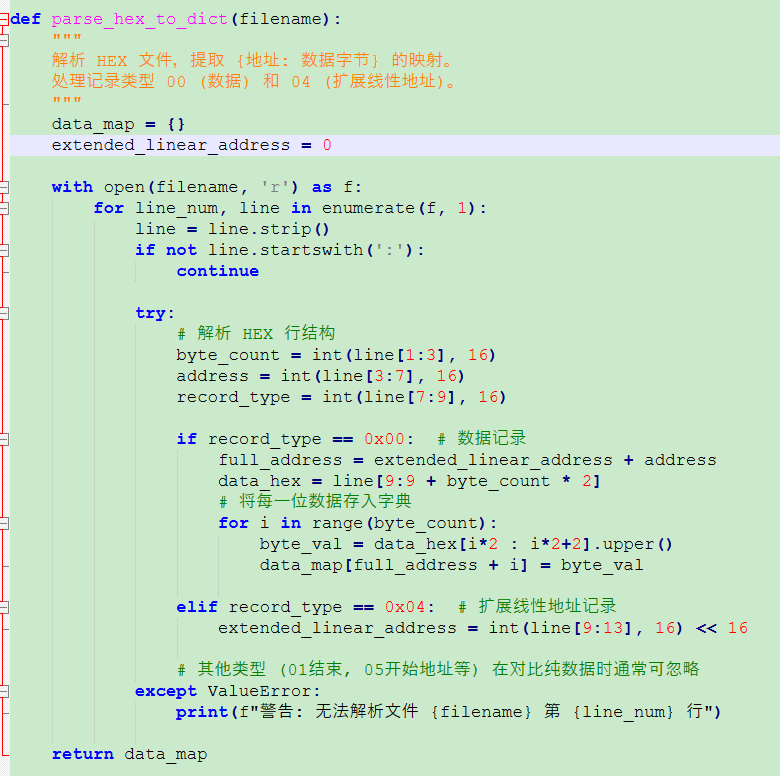
初始化变量
data_map = {} # 存储最终结果:地址->数据字节
extended_linear_address = 0 # 高16位地址
逐行解析
跳过不以:开头的行
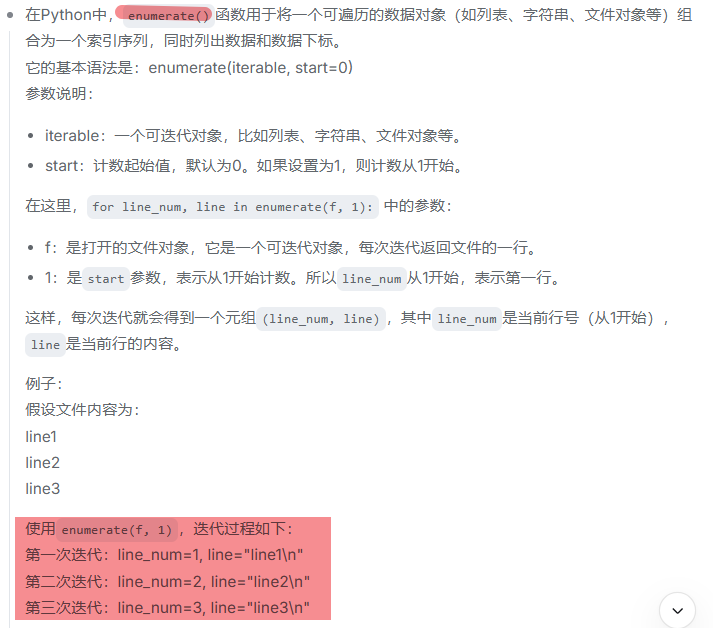
使用enumerate(f, 1)跟踪行号便于错误报告
解析关键字段
byte_count = int(line[1:3], 16) # 数据字节数
address = int(line[3:7], 16) # 低16位地址
record_type = int(line[7:9], 16) # 记录类型
计算完整32位地址:高16位 + 低16位
full_address = extended_linear_address + address
提取数据部分:line[9:9 + byte_count * 2]
逐字节存入字典
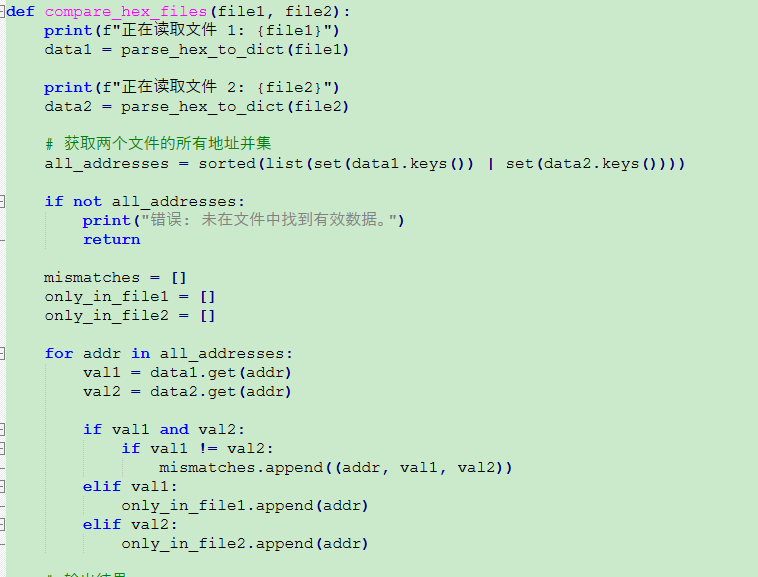
地址合并排序
all_addresses = sorted(list(set(data1.keys()) | set(data2.keys())))
set(data1.keys()) | set(data2.keys()):取两个地址集的并集
list():转换为列表
sorted():排序,确保按地址顺序比对
检查地址有效性
if not all_addresses:
print("错误: 未在文件中找到有效数据。")
return
定义三种队列
mismatches = [] # 地址相同但数据不同
only_in_file1 = [] # 只在文件1中出现的地址
only_in_file2 = [] # 只在文件2中出现的地址
比较逻辑
for addr in all_addresses:
val1 = data1.get(addr) # 使用get()避免KeyError
val2 = data2.get(addr)
if val1 and val2:        # 两个文件都有这个地址if val1 != val2:     # 但数据不同mismatches.append((addr, val1, val2))
elif val1:               # 只在文件1中only_in_file1.append(addr)
elif val2:               # 只在文件2中only_in_file2.append(addr)
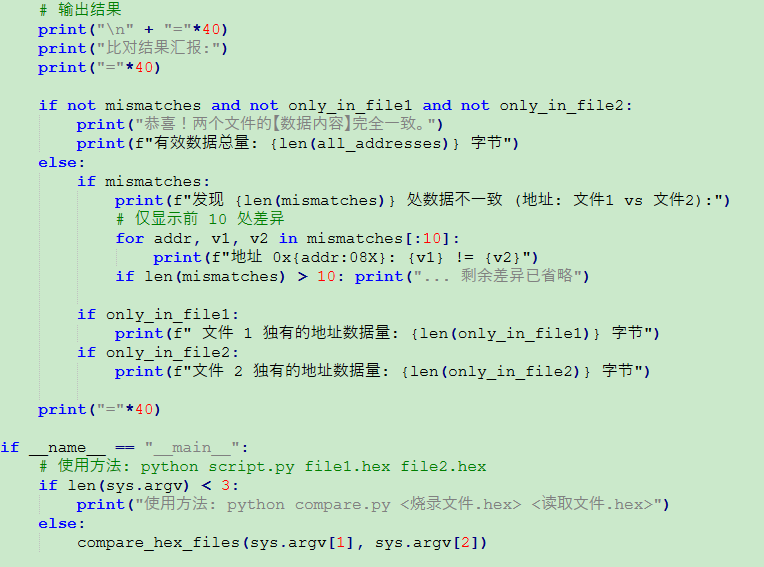
输出结果
print("\n" + "="40)
print("比对结果汇报:")
print("="40)
一致的话
if not mismatches and not only_in_file1 and not only_in_file2:
print("恭喜!两个文件的【数据内容】完全一致。")
print(f"有效数据总量: {len(all_addresses)} 字节")
不一致的话
else:
# 显示数据不一致的地址
if mismatches:
print(f"发现 {len(mismatches)} 处数据不一致 (地址: 文件1 vs 文件2)😊
# 限制显示前10处差异,避免输出过多
for addr, v1, v2 in mismatches[:10]:
print(f"地址 0x{addr:08X}: {v1} != {v2}")
if len(mismatches) > 10:
print("... 剩余差异已省略")
# 显示独有的地址数量
if only_in_file1:
print(f" 文件 1 独有的地址数据量: {len(only_in_file1)} 字节")
if only_in_file2:
print(f"文件 2 独有的地址数据量: {len(only_in_file2)} 字节")