1.确认节点信息
# 检查节点是否有 GPU
lspci | grep -i nvidia# 确认 GPU 卡型号
nvidia-smi  #
2.安装NVIDIA驱动
# 添加 NVIDIA 驱动仓库
sudo apt update
sudo apt install -y ubuntu-drivers-common# 查看推荐驱动版本
ubuntu-drivers devices# 安装推荐驱动
sudo ubuntu-drivers autoinstall# 或安装特定版本
sudo apt install -y nvidia-driver-535  # 根据实际情况选择版本# 重启系统
sudo reboot# 验证驱动安装
nvidia-smi
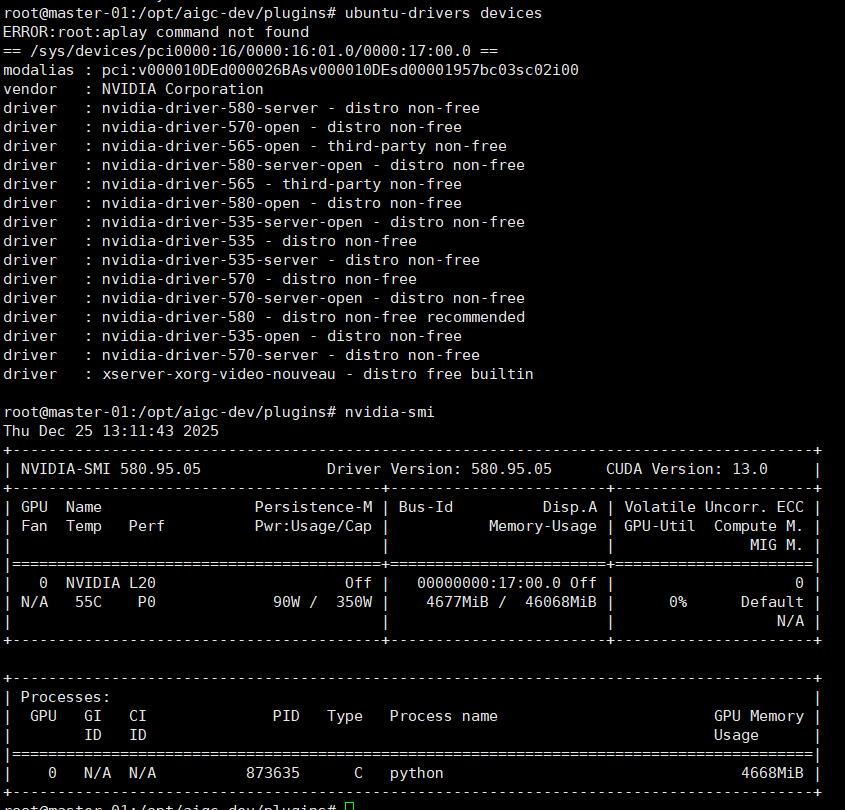
3.安装NVIDIA Container Toolkit
官网:https://docs.nvidia.com/datacenter/cloud-native/container-toolkit/1.18.1/install-guide.html
# 配置 NVIDIA 容器仓库
distribution=$(. /etc/os-release;echo $ID$VERSION_ID)
curl -fsSL https://nvidia.github.io/libnvidia-container/gpgkey | sudo gpg --dearmor -o /usr/share/keyrings/nvidia-container-toolkit-keyring.gpg
curl -s -L https://nvidia.github.io/libnvidia-container/$distribution/libnvidia-container.list | \sed 's#deb https://#deb [signed-by=/usr/share/keyrings/nvidia-container-toolkit-keyring.gpg] https://#g' | \sudo tee /etc/apt/sources.list.d/nvidia-container-toolkit.list# 安装 nvidia-container-toolkit
sudo apt update
sudo apt install -y nvidia-container-toolkit# 配置容器运行时
# 如果是 containerd
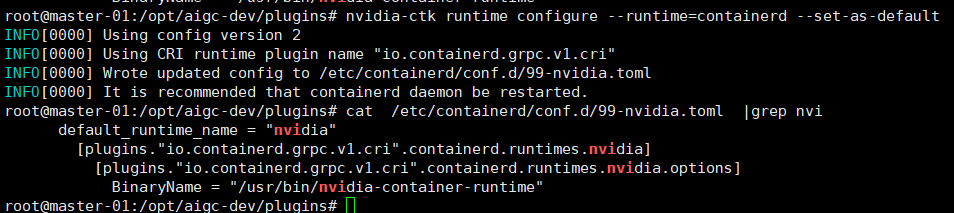
sudo nvidia-ctk runtime configure --runtime=containerd --set-as-default# 重启 containerd
sudo systemctl restart containerd# 验证配置
sudo nvidia-ctk config --in-place --set nvidia-container-runtime.debug=/var/log/nvidia-container-runtime.log
测试容器GPU访问
ctr run --rm \--gpus 0 \--runc-binary /usr/bin/nvidia-container-runtime \docker.io/nvidia/cuda:12.1.0-base-ubuntu22.04 \cuda-test \nvidia-smi
4.安装NVIDIA Device Plugin For K8S
参考:https://github.com/NVIDIA/k8s-device-plugin
# 下载 device plugin yaml
wget https://raw.githubusercontent.com/NVIDIA/k8s-device-plugin/v0.14.1/nvidia-device-plugin.yml

# 修改配置(可选)
# 编辑 nvidia-device-plugin.yml,根据需求调整# 部署 device plugin
kubectl create -f nvidia-device-plugin.yml# 检查部署状态
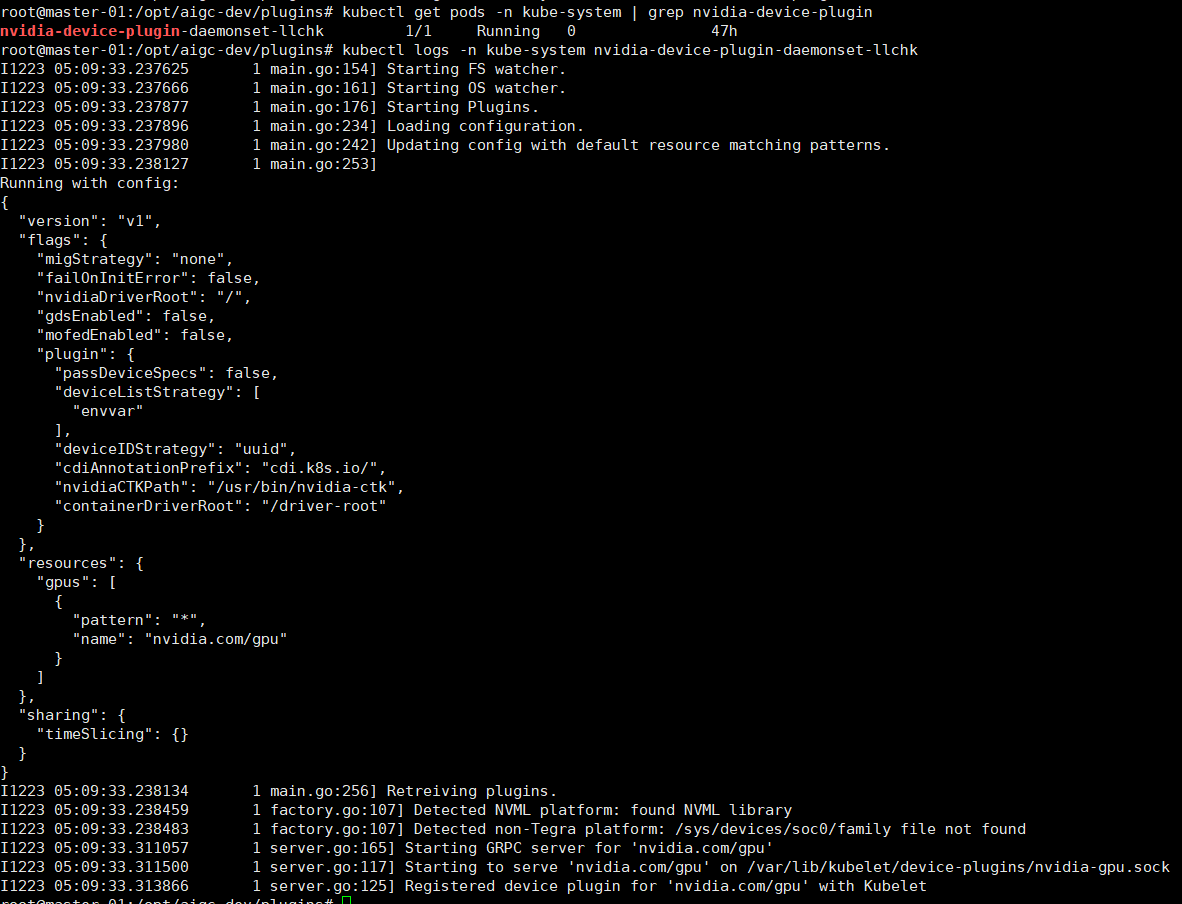
kubectl get pods -n kube-system | grep nvidia-device-plugin


cat nvidia-device-plugins.yaml
# Copyright (c) 2019, NVIDIA CORPORATION.  All rights reserved.
#
# Licensed under the Apache License, Version 2.0 (the "License");
# you may not use this file except in compliance with the License.
# You may obtain a copy of the License at
#
#     http://www.apache.org/licenses/LICENSE-2.0
#
# Unless required by applicable law or agreed to in writing, software
# distributed under the License is distributed on an "AS IS" BASIS,
# WITHOUT WARRANTIES OR CONDITIONS OF ANY KIND, either express or implied.
# See the License for the specific language governing permissions and
# limitations under the License.apiVersion: apps/v1
kind: DaemonSet
metadata:name: nvidia-device-plugin-daemonsetnamespace: kube-system
spec:selector:matchLabels:name: nvidia-device-plugin-dsupdateStrategy:type: RollingUpdatetemplate:metadata:labels:name: nvidia-device-plugin-dsspec:tolerations:- key: nvidia.com/gpuoperator: Existseffect: NoSchedule# Mark this pod as a critical add-on; when enabled, the critical add-on# scheduler reserves resources for critical add-on pods so that they can# be rescheduled after a failure.# See https://kubernetes.io/docs/tasks/administer-cluster/guaranteed-scheduling-critical-addon-pods/priorityClassName: "system-node-critical"containers:- image: registry.cn-hangzhou.aliyuncs.com/mytest_docker123/nvidia-k8s-device-plugin:v0.14.1name: nvidia-device-plugin-ctrenv:- name: FAIL_ON_INIT_ERRORvalue: "false"securityContext:allowPrivilegeEscalation: falsecapabilities:drop: ["ALL"]volumeMounts:- name: device-pluginmountPath: /var/lib/kubelet/device-pluginsvolumes:- name: device-pluginhostPath:path: /var/lib/kubelet/device-plugins
5.验证GPU可用性
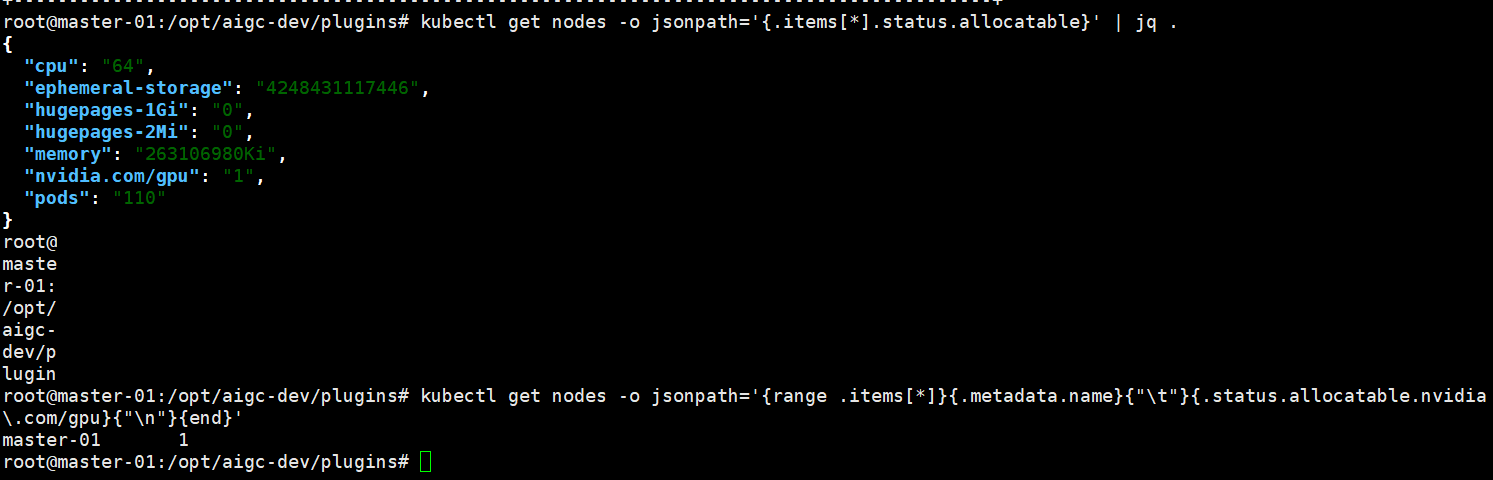
kubectl get nodes -o jsonpath='{.items[*].status.allocatable}' | jq .# 查看 GPU 资源
kubectl get nodes -o jsonpath='{range .items[*]}{.metadata.name}{"\t"}{.status.allocatable.nvidia\.com/gpu}{"\n"}{end}'
6.部署测试pod
cat test1.yaml
# pytorch-gpu-job.yaml
apiVersion: batch/v1
kind: Job
metadata:name: pytorch-gpu-trainnamespace: gpu-test
spec:backoffLimit: 1template:spec:containers:- name: pytorch-trainerimage: registry.cn-hangzhou.aliyuncs.com/mytest_docker123/pytorch:2.0.1-cuda11.7-cudnn8-runtimecommand: ["python"]args:- -c- |import torchimport torch.nn as nnimport torch.optim as optimimport timeprint("=== PyTorch GPU 训练测试 ===")print(f"PyTorch 版本: {torch.__version__}")print(f"CUDA 可用: {torch.cuda.is_available()}")if torch.cuda.is_available():device = torch.device("cuda:0")print(f"使用设备: {torch.cuda.get_device_name(0)}")else:device = torch.device("cpu")print("警告: 使用 CPU")# 定义简单模型class SimpleModel(nn.Module):def __init__(self):super(SimpleModel, self).__init__()self.fc1 = nn.Linear(1000, 500)self.fc2 = nn.Linear(500, 100)self.fc3 = nn.Linear(100, 10)def forward(self, x):x = torch.relu(self.fc1(x))x = torch.relu(self.fc2(x))x = self.fc3(x)return x# 创建模型和优化器model = SimpleModel().to(device)optimizer = optim.Adam(model.parameters(), lr=0.001)criterion = nn.CrossEntropyLoss()# 创建虚拟数据batch_size = 64000000inputs = torch.randn(batch_size, 1000).to(device)targets = torch.randint(0, 10, (batch_size,)).to(device)# 训练循环print("开始训练...")start_time = time.time()for epoch in range(1000):optimizer.zero_grad()outputs = model(inputs)loss = criterion(outputs, targets)loss.backward()optimizer.step()if epoch % 2 == 0:print(f'Epoch {epoch+1}/10, Loss: {loss.item():.4f}')training_time = time.time() - start_timeprint(f"训练完成! 总时间: {training_time:.2f}秒")print(f"平均每轮: {training_time/10:.2f}秒")# GPU 内存使用情况if torch.cuda.is_available():print(f"GPU 内存已分配: {torch.cuda.memory_allocated()/1e9:.2f} GB")print(f"GPU 内存缓存: {torch.cuda.memory_reserved()/1e9:.2f} GB")resources:limits:cpu: "4"memory: "30Gi"requests:cpu: "2"memory: "4Gi"restartPolicy: Never
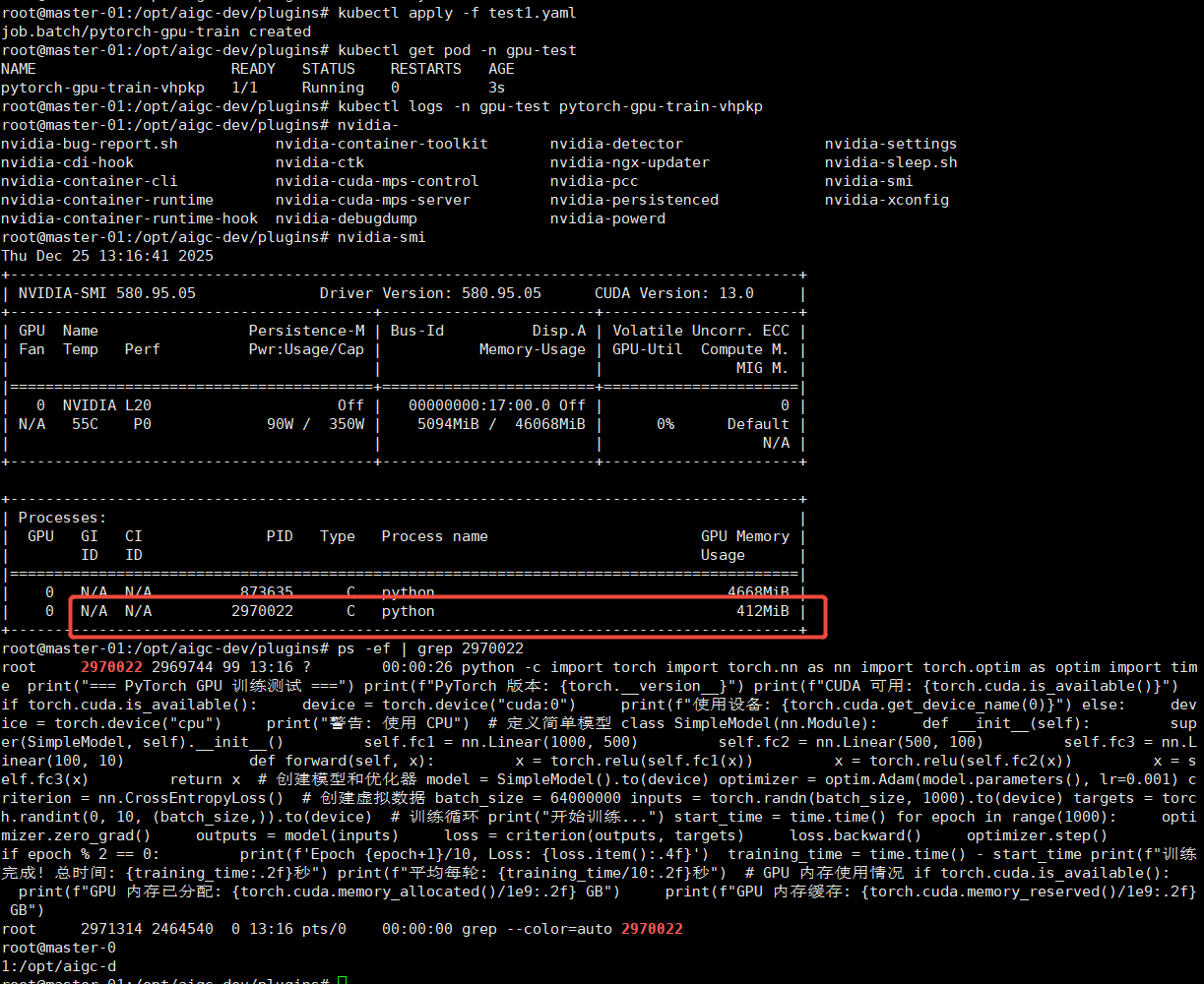
问题:
1.驱动报错:could not load NVML library: libnvidia-ml.so.1
参考:https://github.com/NVIDIA/k8s-device-plugin/issues/604
kubectl apply -f - <<EOF
apiVersion: node.k8s.io/v1
handler: nvidia
kind: RuntimeClass
metadata:name: nvidia
EOF