前言
本文简单分享一下,我如何通过 Zotero 的 zotero-pdf-translate 插件,添加自定义 API 来实现翻译功能。
该 Zotero 翻译插件内置了数十种翻译服务,其具体配置方式可以在官方文档中查阅。除此之外,插件还提供了一个额外的 GPT 接口,我们可以通过 API 调用自己希望使用的模型,从而替代传统的机器翻译服务。
GLM-4-Flash 是一款完全免费的模型,API文档请见https://docs.bigmodel.cn/cn/api/introduction
一、申请 API
访问 https://open.bigmodel.cn/ 进行注册
注册完成后,请务必进行实名验证(https://open.bigmodel.cn/usercenter/settings/auth ),只有完成实名验证后,才能正常调用 API。
随后,点击 API Key,再点击 添加新的 API Key,名称可随意填写。创建完成后,你就可以在页面中看到新生成的 API Key,点击复制即可。
二、Zotero 的配置
打开 Zotero 设置,选择 翻译 选项。
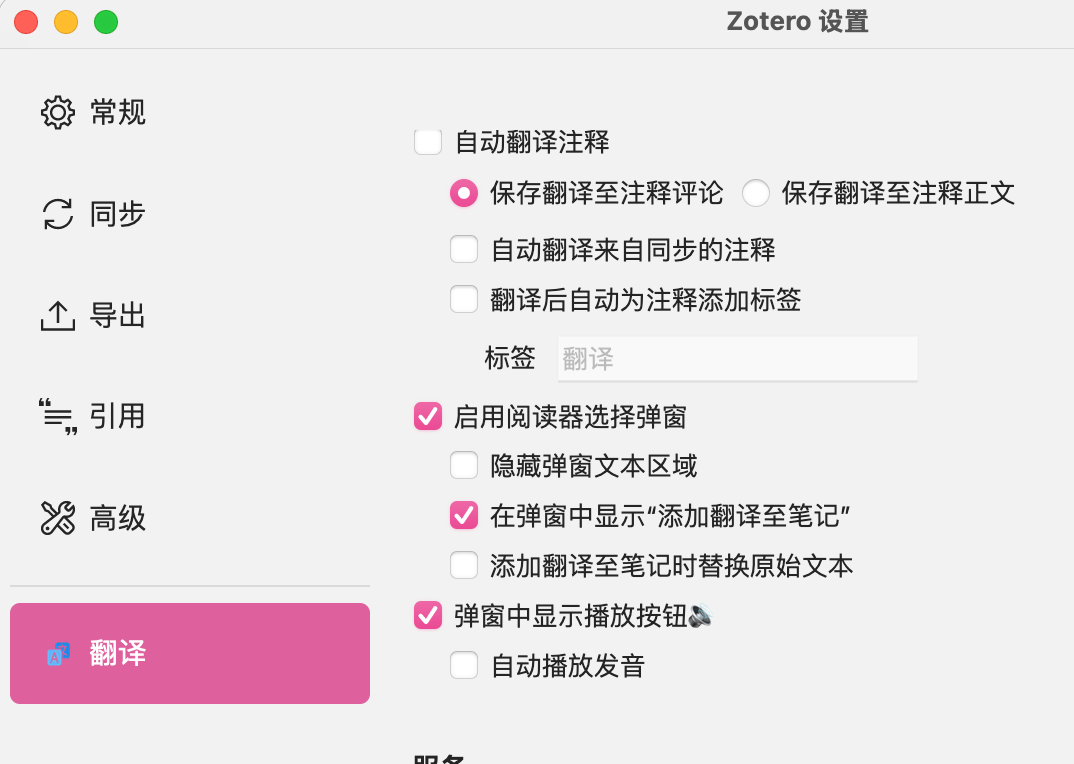
将翻译服务设置为 自定义GPT1。
接着,将刚才申请到的 API Key 填入“密钥”一栏中:
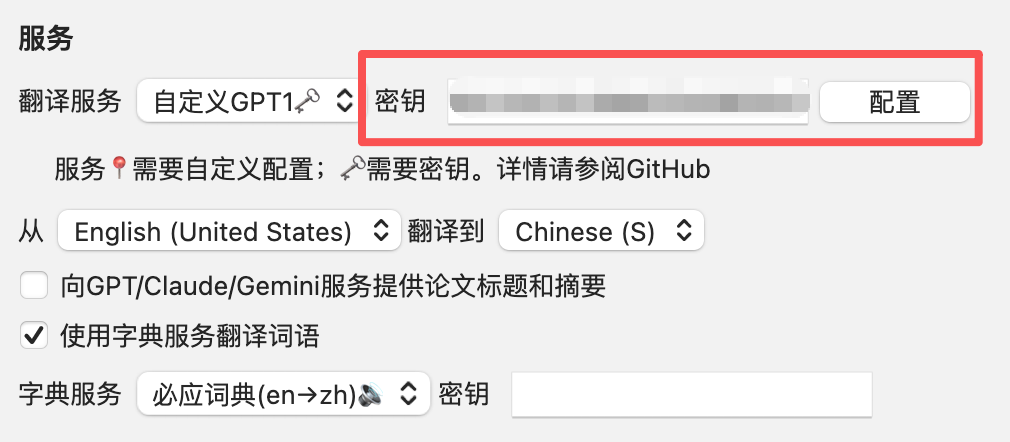
点击“配置”按钮,并按照下图所示内容进行填写:
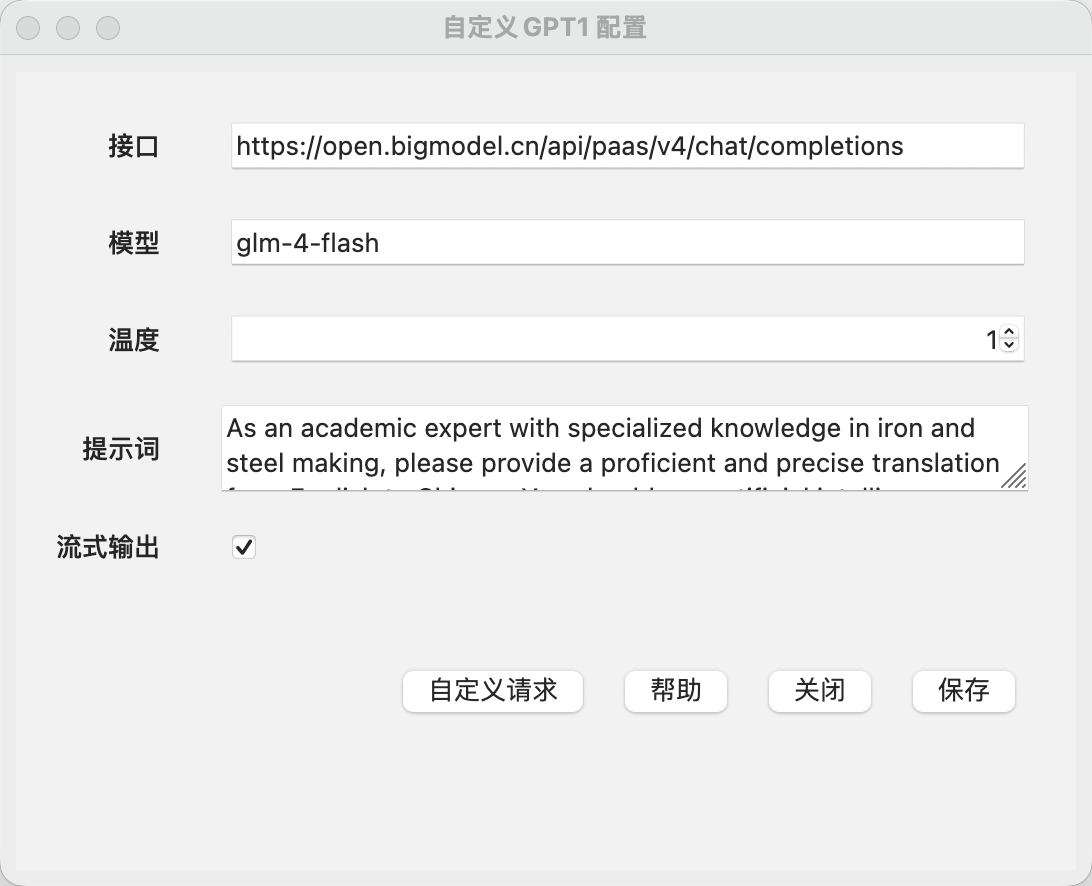
- 接口:
https://open.bigmodel.cn/api/paas/v4/chat/completions - 模型:
glm-4-flash - 提示词:
As an academic expert with specialized knowledge in iron and steel making, please provide a proficient and precise translation from ${langFrom} to ${langTo}. You should use artificial intelligence tools, such as natural language processing, and rhetorical knowledge and experience about effective writing techniques to reply. Make the reply looks like a native speaker. Some specific terms such as name do not need to be translated. The text is as follows: ${sourceText} Please provide the translated result without any additional explanation.
(该提示词来自 Github 大佬的分享)
- 提示词中必须包含
${langFrom}、${langTo}、${sourceText}这三个占位符。
配置完成后,点击 保存 按钮即可。
三、使用翻译
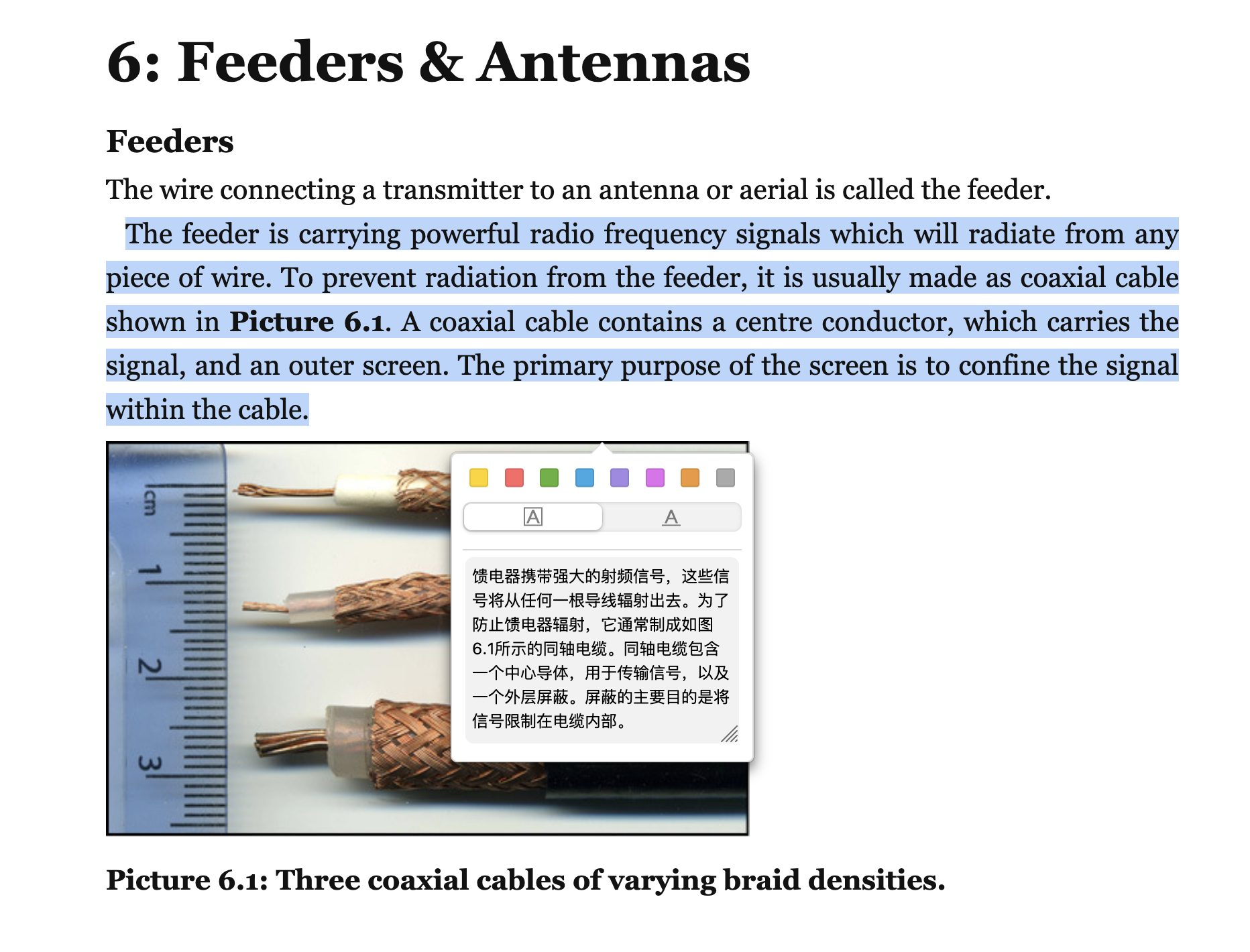
在 Zotero 中选中文本后,即可自动进行翻译。
本文使用 CC BY-NC-SA 4.0 协议进行许可,原文发布在https://blog.carkree.com/posts/1054340652/ ,本文如有错误请指出。